A custom invoice designer for workshops
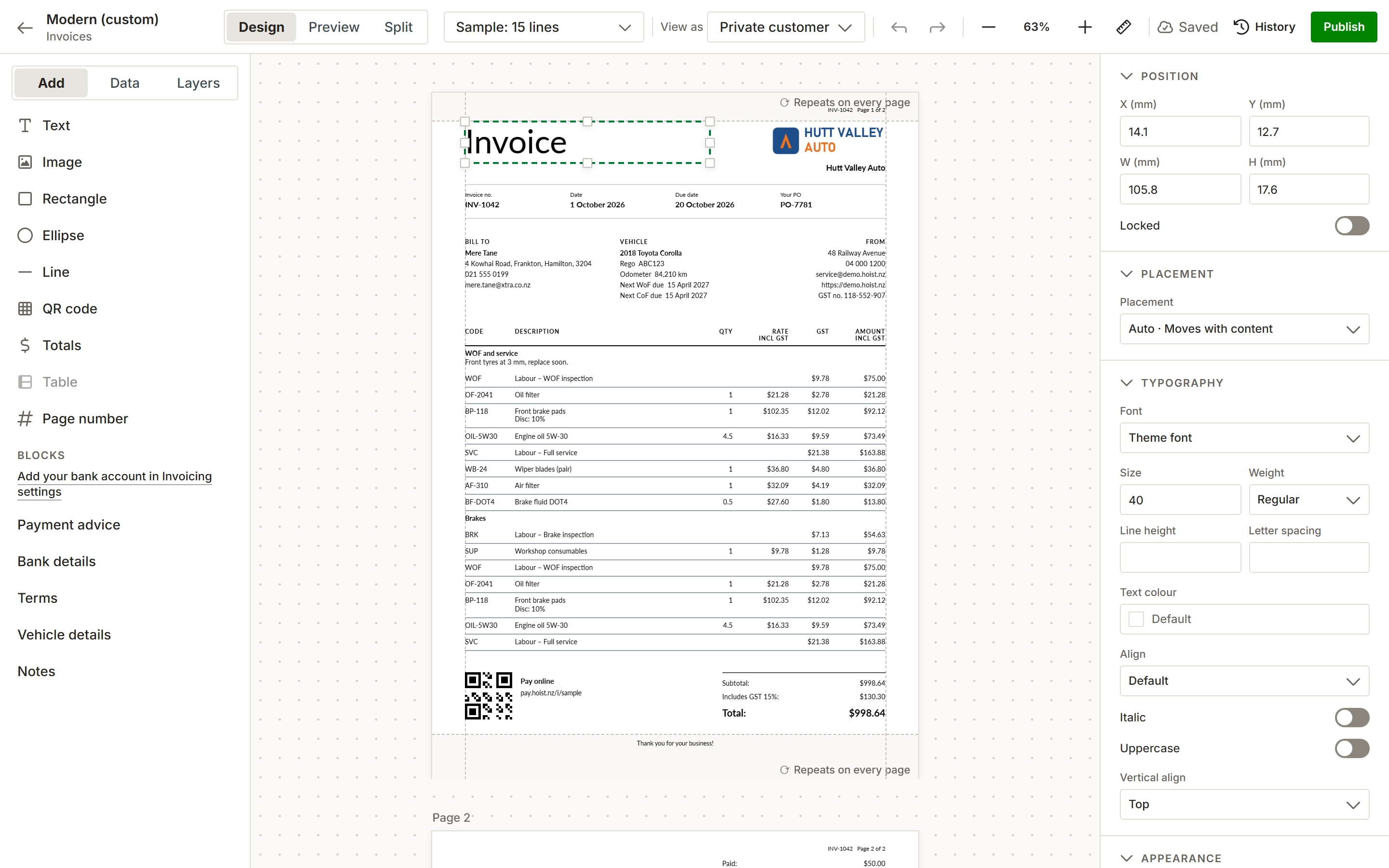
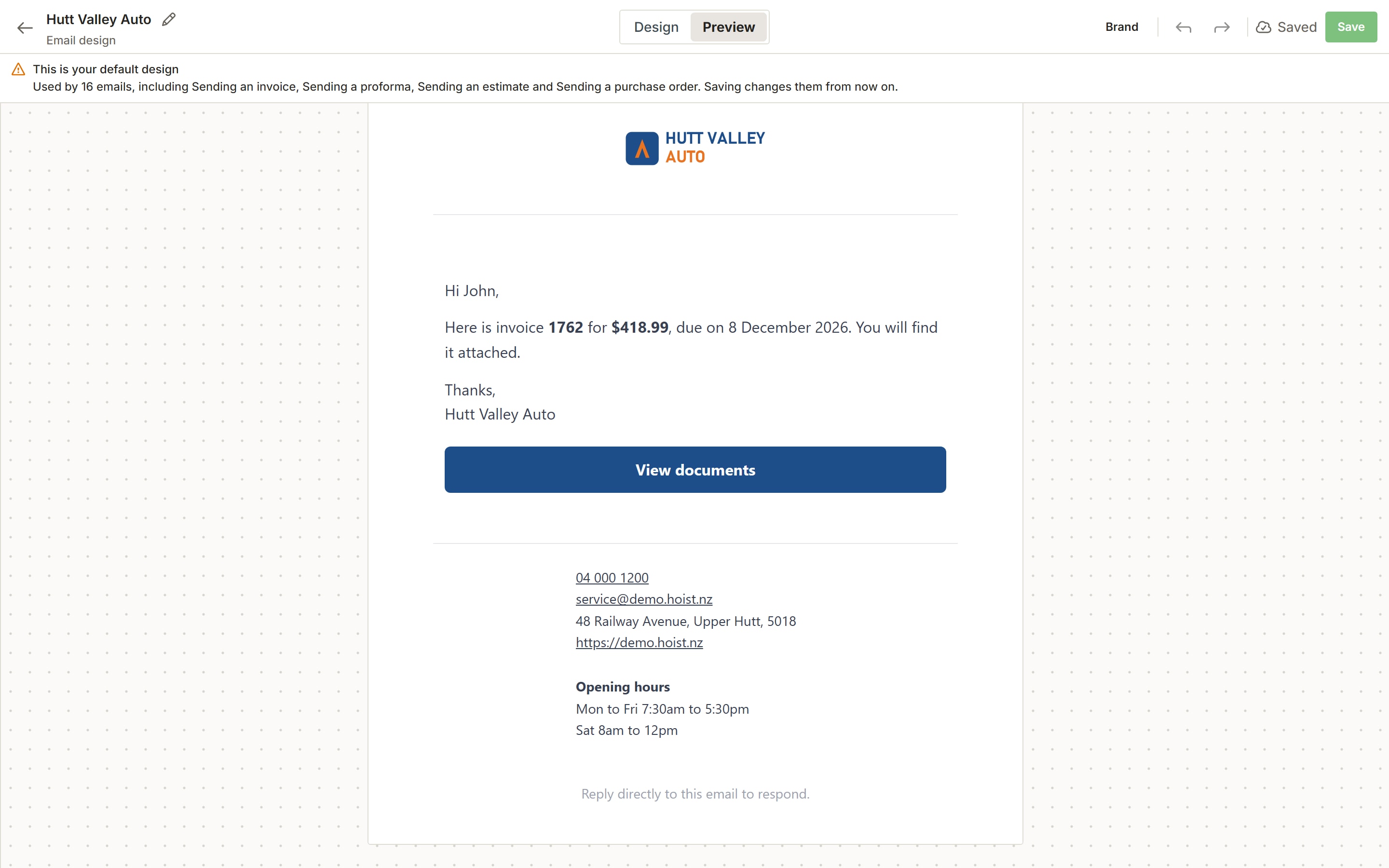
Hoist’s document designer lays out your invoices, estimates, purchase orders and statements by drag and drop. Start from a built-in workshop invoice template, add your logo, colour and font, and check it on a real invoice before you publish. The email designer does the same for the emails they arrive in.
Why the invoice is worth getting right
It’s the last thing the customer sees
A plain, generic invoice undoes a good job. A branded one looks like the workshop that did the work.
A layout you can’t change
One fixed layout and a logo slot means living with the field in the wrong place, or the one that isn’t there.
Long jobs that break the page
A parts-heavy job runs onto a second page and the totals end up stranded. A layout has to handle every page, not just the first.
How the designers work
Start from a built-in layout. Classic, Modern, Bold or Compact, for invoices, estimates, purchase orders and statements. Each is a starting point you can change.
Drag, drop and style. Add text, images, lines, QR codes, totals and blocks such as bank details or vehicle details. Set the font and size for the whole document or one element.
Preview every page. Check the layout on a sample with 3, 15 or 60 lines, or on one of your own invoices, page by page. Headers and footers repeat on every page.
Emails in your brand too. The email designer lays out your logo, message, button, contact details and opening hours, with a desktop and a phone preview. Message templates with merge fields and text snippets fill in the words.
What you get
- Drag-and-drop layouts for invoices, estimates, purchase orders and statements
- Built-in Classic, Modern, Bold and Compact layouts
- Your logo, brand colour and font
- Multi-page preview on sample or real invoices
- Version history on every layout
- Branded emails with desktop and phone previews
- Message templates with merge fields
- Text snippets for the words you type every day
Common questions
Can I design my own invoice layout?
Is there a workshop invoice template to start from?
Can I brand the emails invoices are sent in?
Does a layout cope with long invoices?
Does the designer cost extra?
Try it on your own jobs
Every part of Hoist is free for 14 days, or we can show you around first.
Or call us on 04 242 0451