Rego lookup built into your workshop software
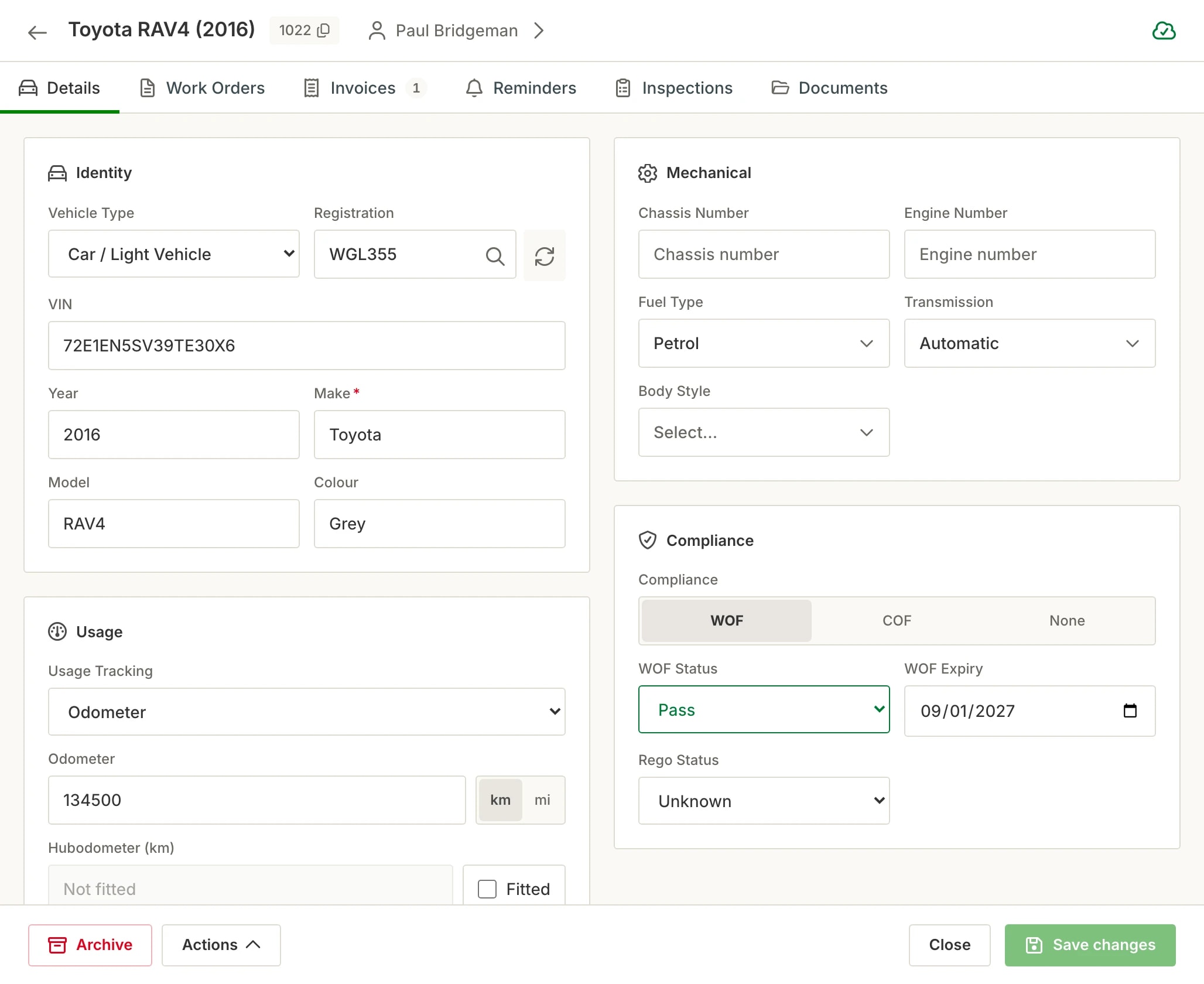
Type the plate and the vehicle fills itself in - make, model, year, VIN and the WoF date, straight from official NZ records, with the CoF date entered when it is renewed. No switching tabs, no copying details across, no mistyped VINs. Anything without a plate - trailers, machinery, boats - takes a VIN or chassis number instead, entered once and saved. Every new booking, job card and customer record starts with correct data.
The cost of typing vehicle details by hand
Wrong data at the front door
A mistyped model year or VIN at booking follows the vehicle through every job, invoice and reminder. Errors made at the counter are the hardest to find later.
The lookup tab shuffle
Looking a vehicle up in one tab and re-typing it into your workshop system is double handling on every single new vehicle - a tax on every booking.
Records that start empty
Without a lookup, a new customer’s record is only as good as what they remember about their own vehicle - which is often "it’s the blue one".
How rego lookup works in Hoist
Plate in, vehicle out. Type the rego at booking or on a job card and the vehicle’s details fill in automatically. New vehicles take seconds, not minutes.
No rego? No problem. Trailers, machinery, boats and anything else without a plate takes a VIN or chassis number instead - entered once and saved to the record.
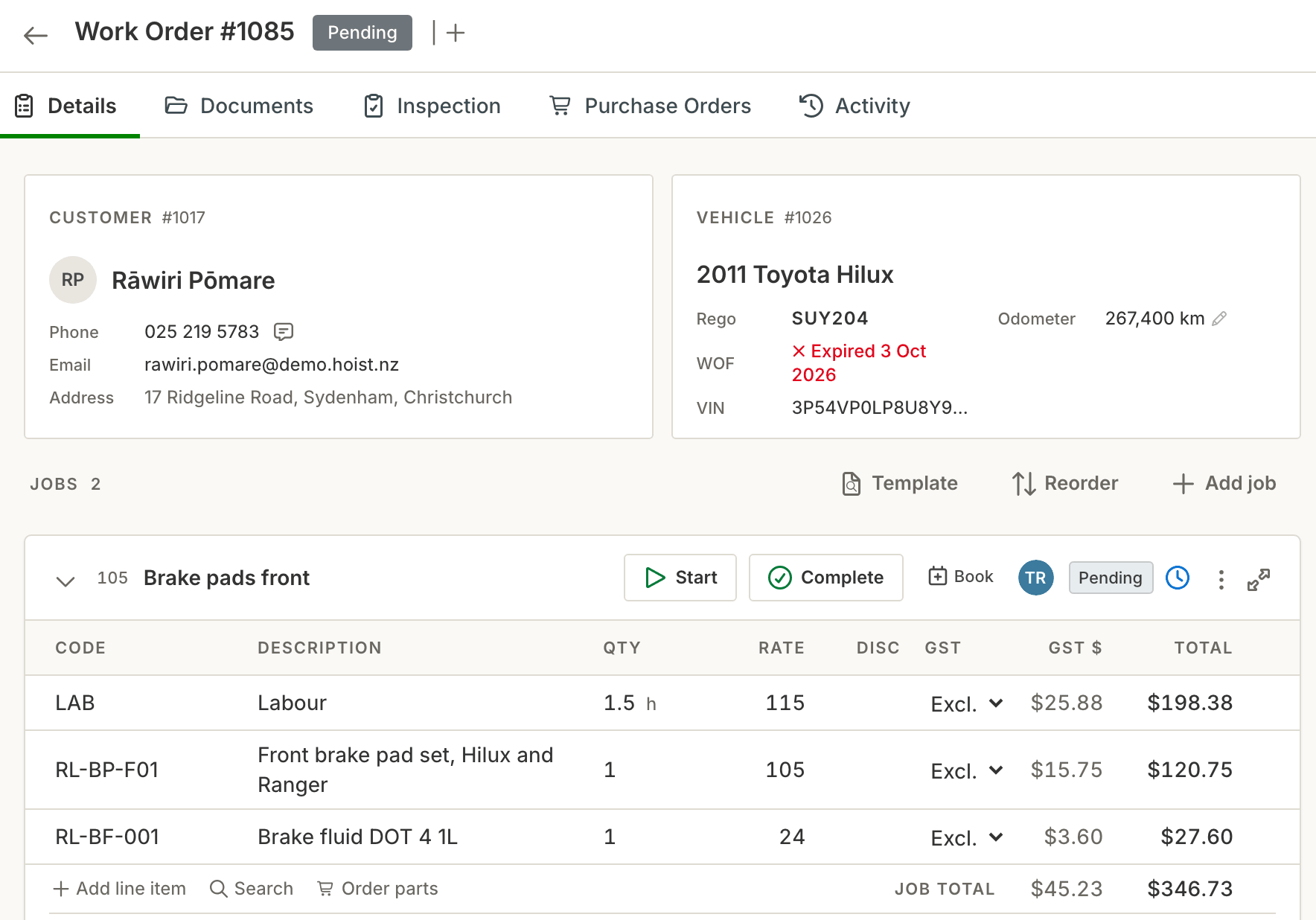
Built into the workflow. The lookup happens where you’re already working - bookings, job cards, customer records - not in a separate tool you have to remember to use.
Records get richer over time. Vehicle details, job history, odometer readings and reminder dates all accumulate on the record - so imported or new vehicles become complete pictures, fast.
What you get
- Rego lookup built into bookings and job cards
- Vehicle details filled automatically from the plate
- No rego? Enter a VIN or chassis number instead
- No tab-switching, no re-typing, no transcription errors
- New customer vehicles set up in seconds
- Correct data flows through to invoices and reminders
- NZ vehicle data as a first-class feature
Common questions
Where does the vehicle data come from?
Do I need a separate account or subscription for lookups?
Does the lookup work when creating job cards?
What about vehicles already in my database?
What if it doesn’t have a rego - a trailer, a digger, a boat?
Try it on your own jobs
Every part of Hoist is free for 14 days, or we can show you around first.
Or call us on 04 242 0451