Workshop management software, built for New Zealand
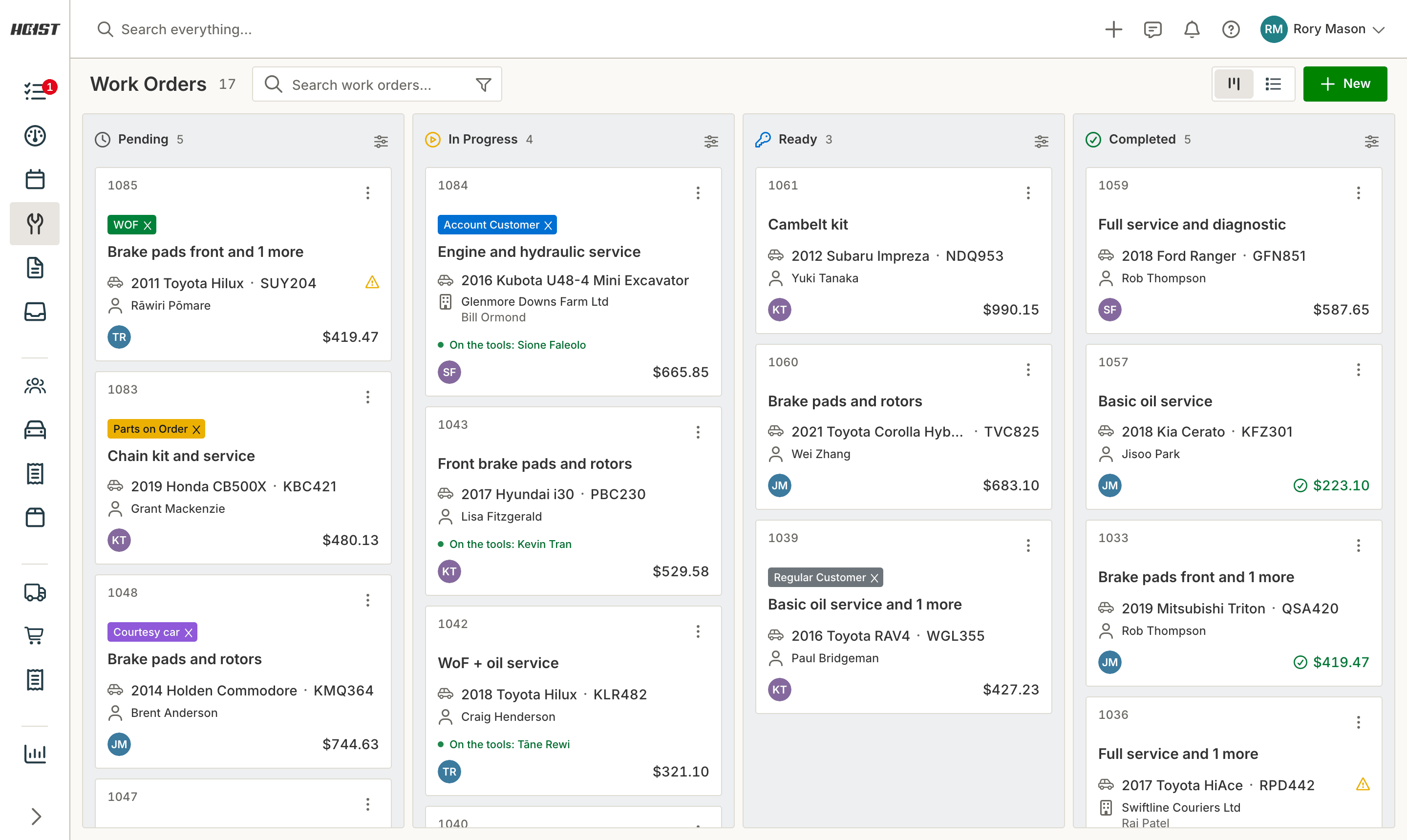
Workshop management software is the system that runs the shop: bookings, job cards, parts, labour, invoicing and the customer history behind all of it. Hoist does that job for New Zealand workshops, with rego lookups from official vehicle records, WoF and CoF reminders, and two-way Xero sync. Every feature switched on from day one.
“The software is easy to use, straightforward, and constantly improving.”
 KirstineAdvance Automotive, Palmerston North
What running the shop on scattered tools actually costs
The job lives in four places
A booking in the diary, a card on the bench, parts in a spreadsheet and the invoice in the accounting package. Every handover is a chance to lose a line, and the margin goes out with it.
Nobody can answer the phone properly
A customer rings about the noise you fixed last year and the answer is in a box, a text thread on somebody’s personal phone, or nowhere at all.
Declined work is never seen again
The brakes the customer put off in March are the job you should be quoting in September. If that only lives in a technician’s memory, it is revenue you already found and then threw away.
What Hoist does
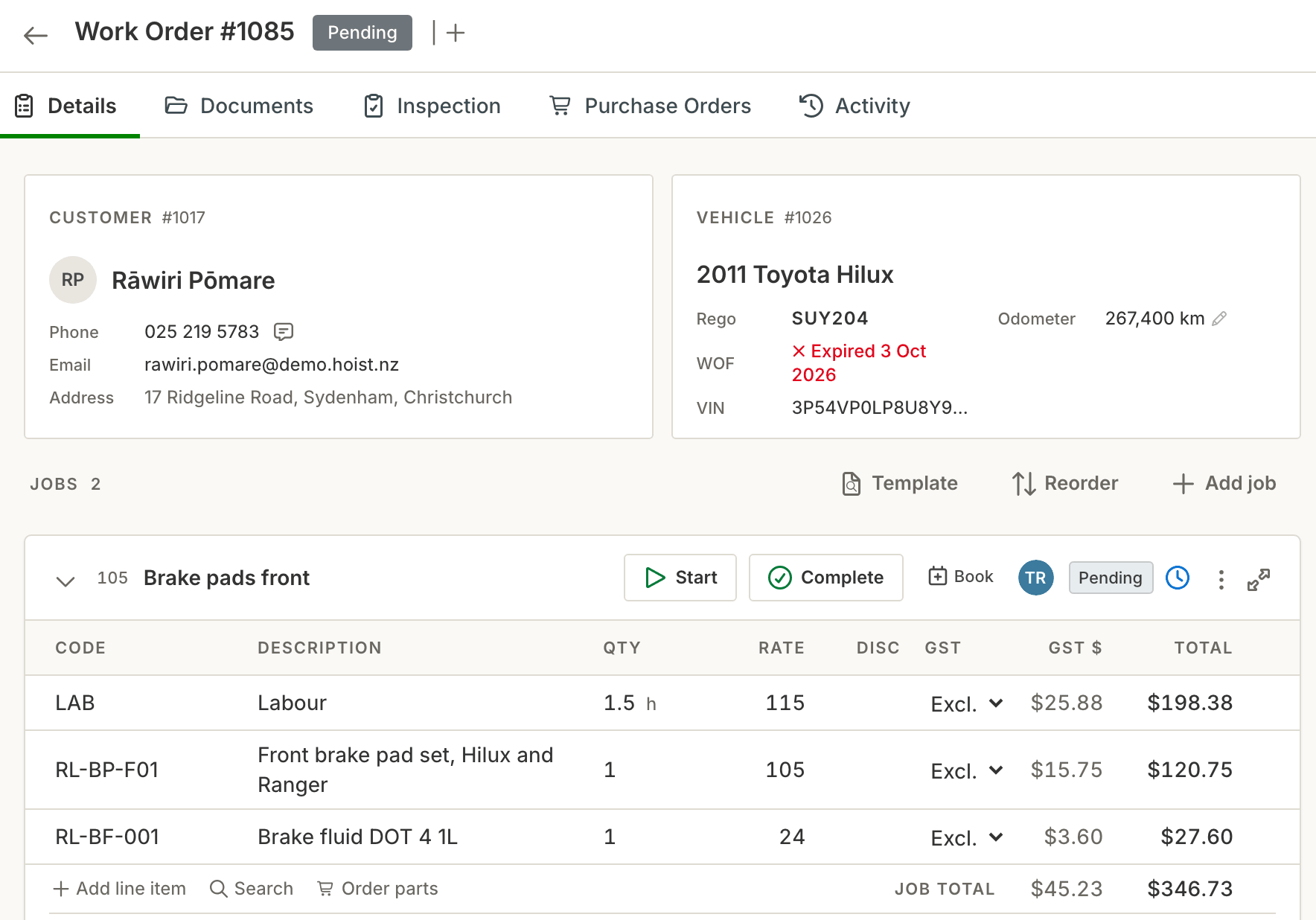
The vehicle fills itself in. Type a rego and make, model, year, VIN and the WoF expiry come back from official NZ vehicle records, and Hoist tracks WoF and CoF due dates from there. Lookups are metered, see the pricing page, so you are not typing a vehicle in by hand.
One job card from booking to invoice. The card carries the reported fault, the agreed work, photos and inspection findings, parts and labour. When the job is done the card becomes a GST invoice in one click and syncs to Xero, so nothing is typed twice.
Talk to the customer from inside the job. Send a text about the extra work and their reply comes back threaded against the customer, not to somebody’s personal phone. Connect a mailbox and the email about a job sits beside the job too.
Work they declined comes back around. Anything a customer says no to stays on the vehicle as deferred work. Next time it is in the bay, the job you already priced is waiting there instead of being forgotten.
What you get
- One system for bookings, job cards, parts, labour and invoicing
- Rego lookups and WoF dates from official NZ vehicle records
- Two-way customer texting threaded against the customer
- Deferred work tracked so declined jobs come back as revenue
- Two-way Xero sync, so the books keep themselves
- Live chat and phone support from New Zealand, and we do the data migration for you
Common questions
What is workshop management software?
How much does workshop management software cost in New Zealand?
What does Hoist include that costs extra elsewhere?
Does it work on a phone or tablet in the workshop?
How hard is it to move off what we use now?
Try it on your own jobs
Every part of Hoist is free for 14 days, or we can show you around first.
Or call us on 04 242 0451