Job card software that replaces the paper pile
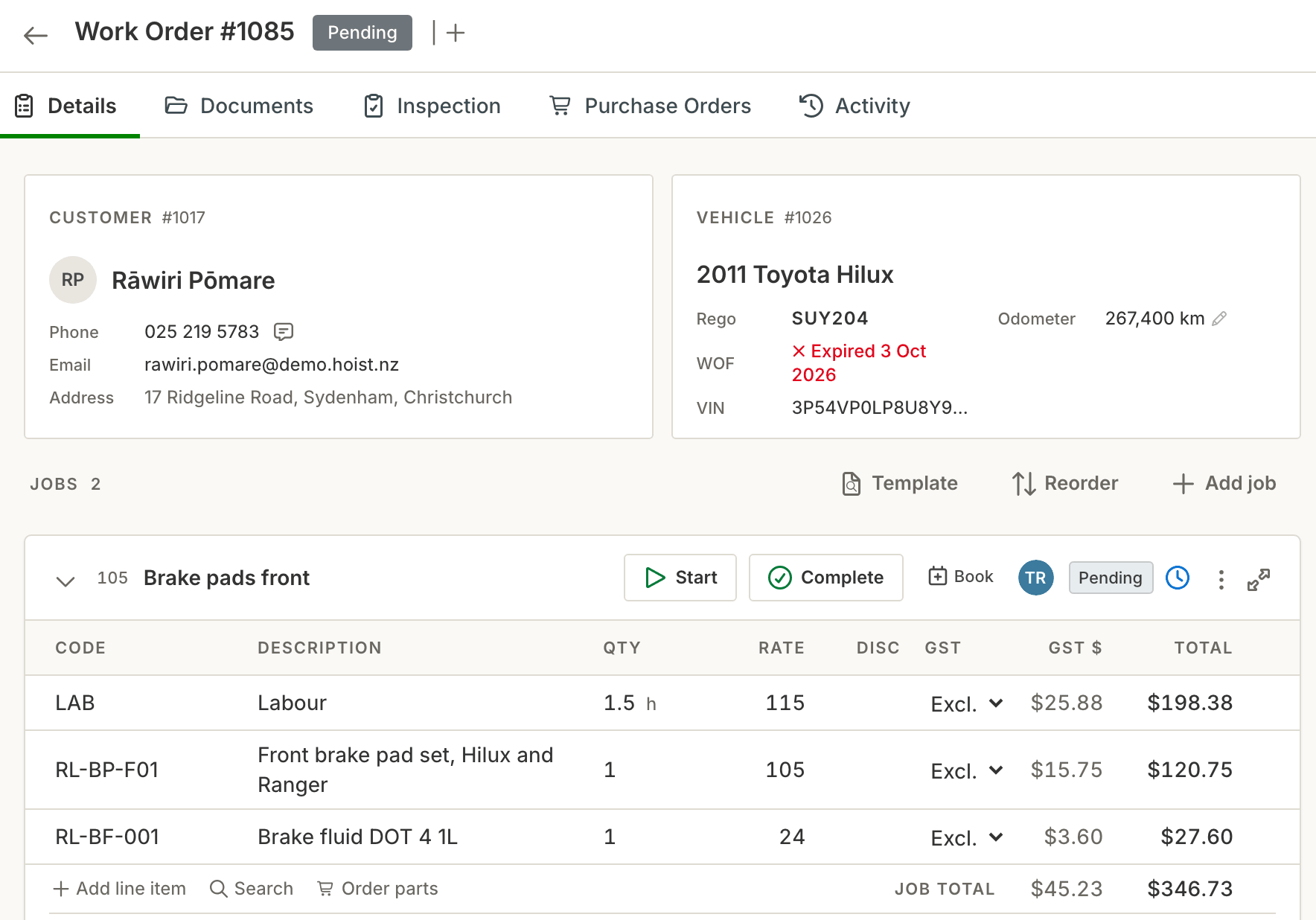
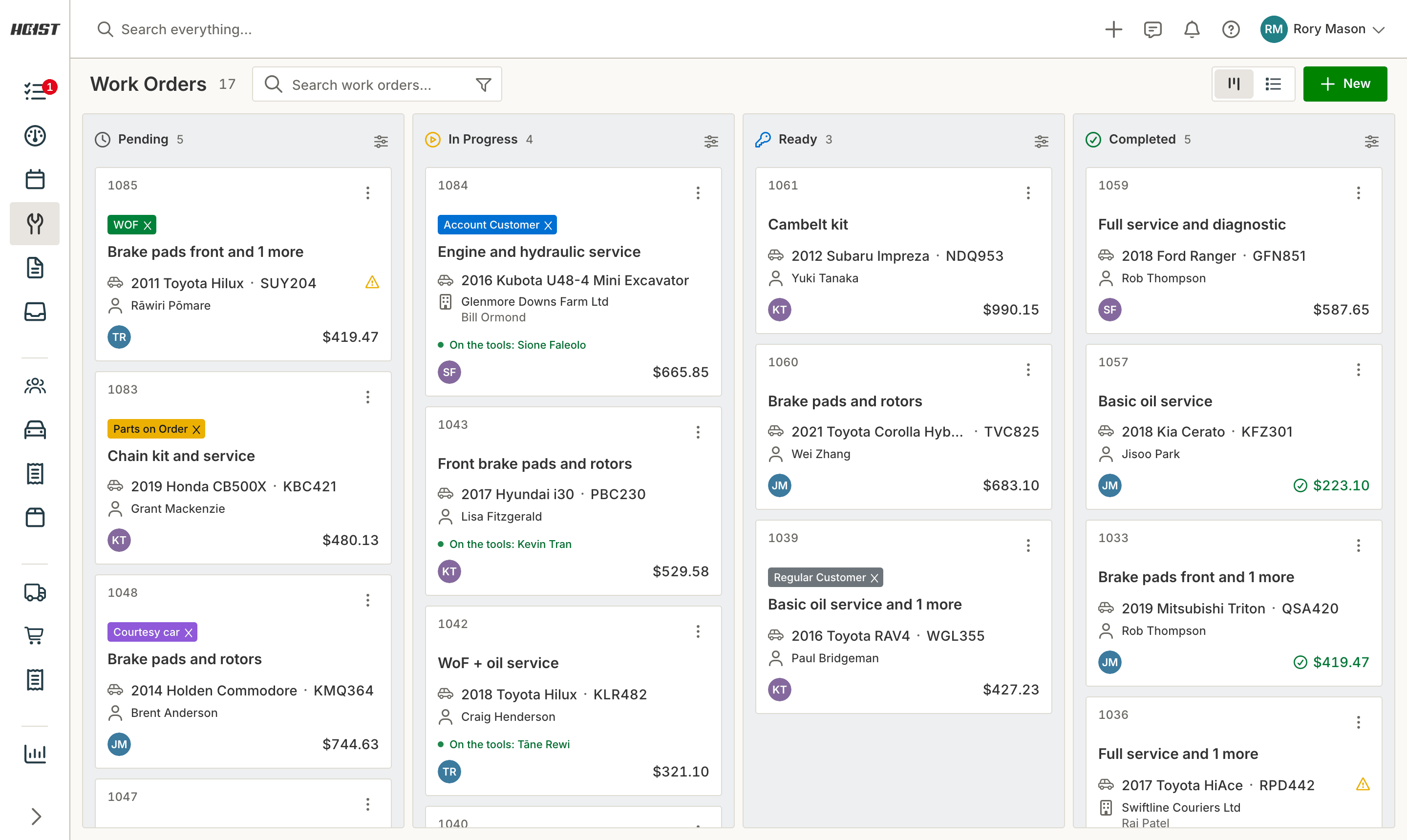
Every job in your workshop lives on a digital job card - notes, photos, inspection findings, parts and labour lines in one place, updated from the pit as the work actually happens. No lost cards, no deciphering handwriting on Friday, no unbilled work walking out the door.
“I can quickly add customers and vehicles, and create work orders in a flash using templates for common jobs, which is much better than the old invoice system we were using.”
 KyleIn Tune Autos, Timaru
What paper job cards actually cost you
Cards go missing
A lost job card is a lost invoice. Most workshops running paper misplace a handful a year - and never find out which jobs were never billed.
Work goes unbilled
The part fitted in a hurry, the extra half hour, the sundries. If closing the card means reading handwriting three days later, lines get dropped and margin quietly disappears.
History lives in a banker’s box
When a customer rings about the noise "you fixed last year", the answer is in a pile somewhere - if it was written down at all.
How job cards work in Hoist
Create a job card in about 90 seconds. Type the rego and the details fill in automatically, or enter a VIN or chassis number for anything without one. Add the reported fault and the agreed work, assign a technician, and the card is on the floor’s screen straight away.
Build the job as it grows. Add photos and inspection findings from any phone, quote extra work line by line, and keep a record of what the customer approved and when. The card is the single source of truth for the job.
Every card closes as an invoice. Parts and labour lines carry straight through to a GST invoice in one click, and the invoice syncs to Xero. Nothing gets re-typed, so nothing gets missed.
History follows the record. Every job, reading, note and photo stays attached to the record - so next visit, you walk into the conversation already knowing what’s coming in.
What you get
- No more lost or illegible job cards
- Photos and inspection findings attached to the job
- Full audit trail of what was approved, by whom, and when
- One-click invoice from the completed card
- Complete service history on everything you service
Common questions
What is job card software?
Can technicians update job cards from their phones?
What happens to my existing job history if I switch?
Is there a free job card template I can use in the meantime?
Try it on your own jobs
Every part of Hoist is free for 14 days, or we can show you around first.
Or call us on 04 242 0451