Workshop invoice software built for NZ mechanics
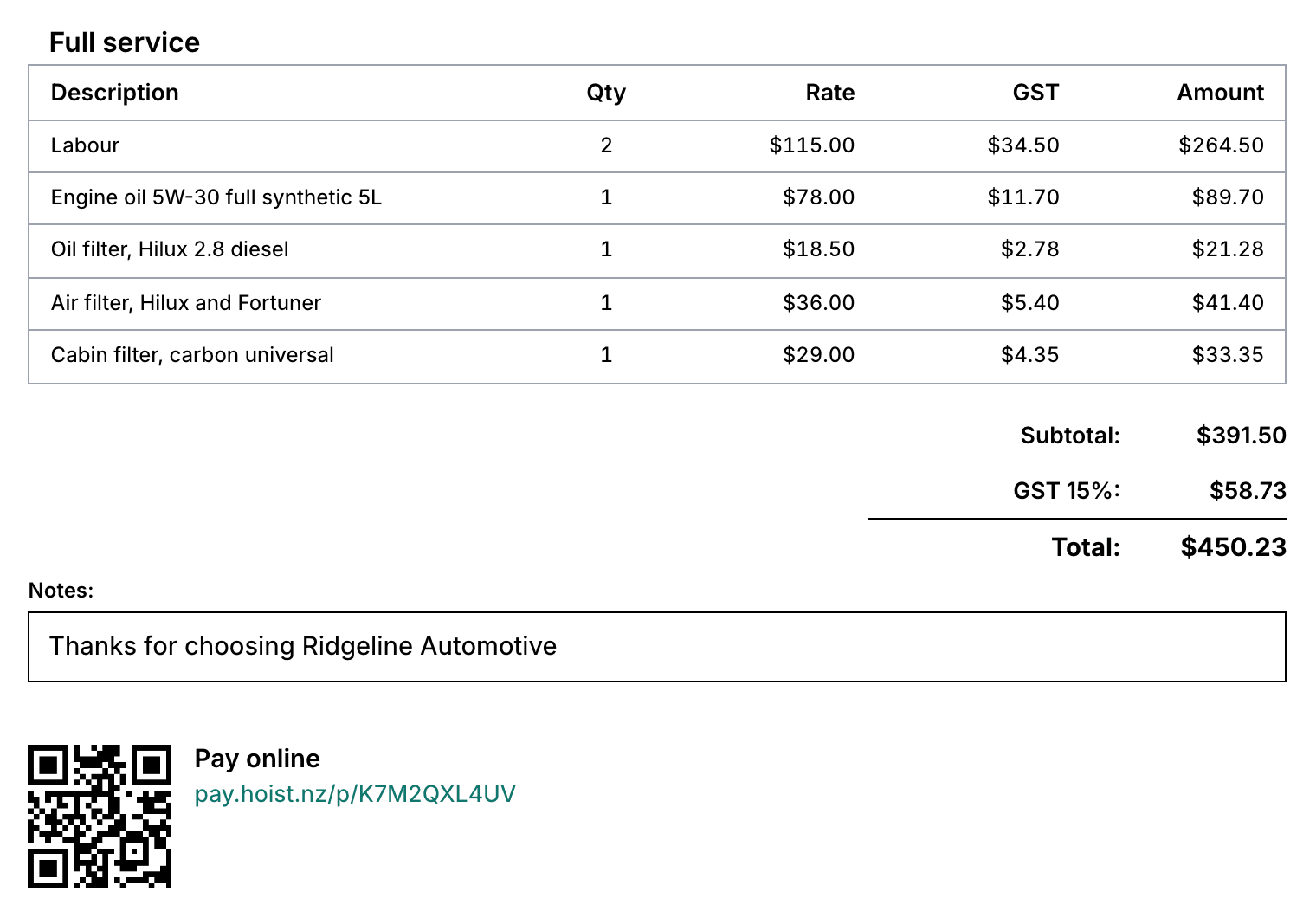
Every line on your invoice already exists on the job card - the parts and the hours. Hoist turns the finished job into a GST invoice in one click, takes card payment on the spot, and syncs the lot to Xero. The paperwork happens once, at the moment the work finishes.
“Invoicing is extremely easy and FAST.”
Where workshop invoicing goes wrong
The same job, typed twice
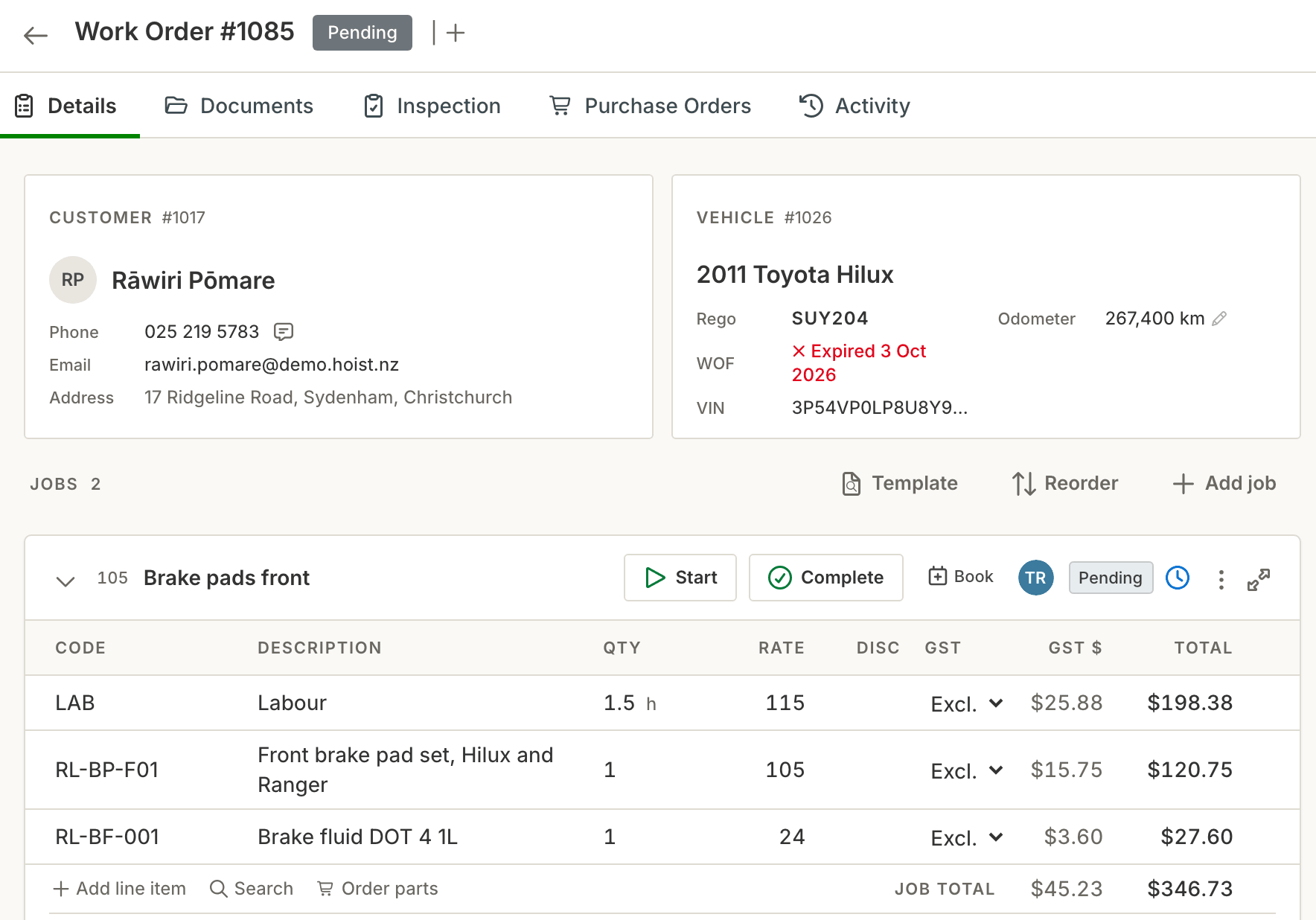
Retyping the job card into an invoice template is the classic evening job - and every re-typed line is a chance to drop a part, miss the sundries, or transpose a digit.
GST maths done by hand
Mixing up GST-inclusive and GST-exclusive is the most common way workshop invoices end up a few dollars wrong - and fleet accountants bounce invoices that don’t add up.
Slow invoices, slow cash
An invoice sent three days after pickup is an invoice paid late. The longer the gap between the work and the bill, the longer your money sits in someone else’s account.
How invoicing works in Hoist
One click from job card to invoice. Parts and labour lines carry straight from the job card onto a professional GST invoice. Nothing is re-typed, so nothing is missed.
Take payment on the spot. Accept card payments in-shop at pickup - the fastest invoice to get paid is the one settled while the customer is standing at the counter.
Payments reconcile themselves. Once it’s paid, the payment matches back against the job on its own. Nothing to export, nothing to re-check at month end.
What you get
- One-click GST invoices from the job card
- Parts and labour lines carry across automatically
- Card payments in-shop at pickup
- Payments reconcile back against the job automatically
- Split a bill between payers, with the insurance excess handled
- Faster billing, healthier cash flow
Common questions
Do Hoist invoices meet IRD’s requirements?
Can I invoice without re-typing the job card?
Can customers pay by card at the counter?
Can I split an invoice between a customer and an insurer?
Does invoicing sync with Xero?
Try it on your own jobs
Every part of Hoist is free for 14 days, or we can show you around first.
Or call us on 04 242 0451