Everything your workshop needs, in one place
Bookings and scheduling
The whole day across every bay and tech, and easy to move.
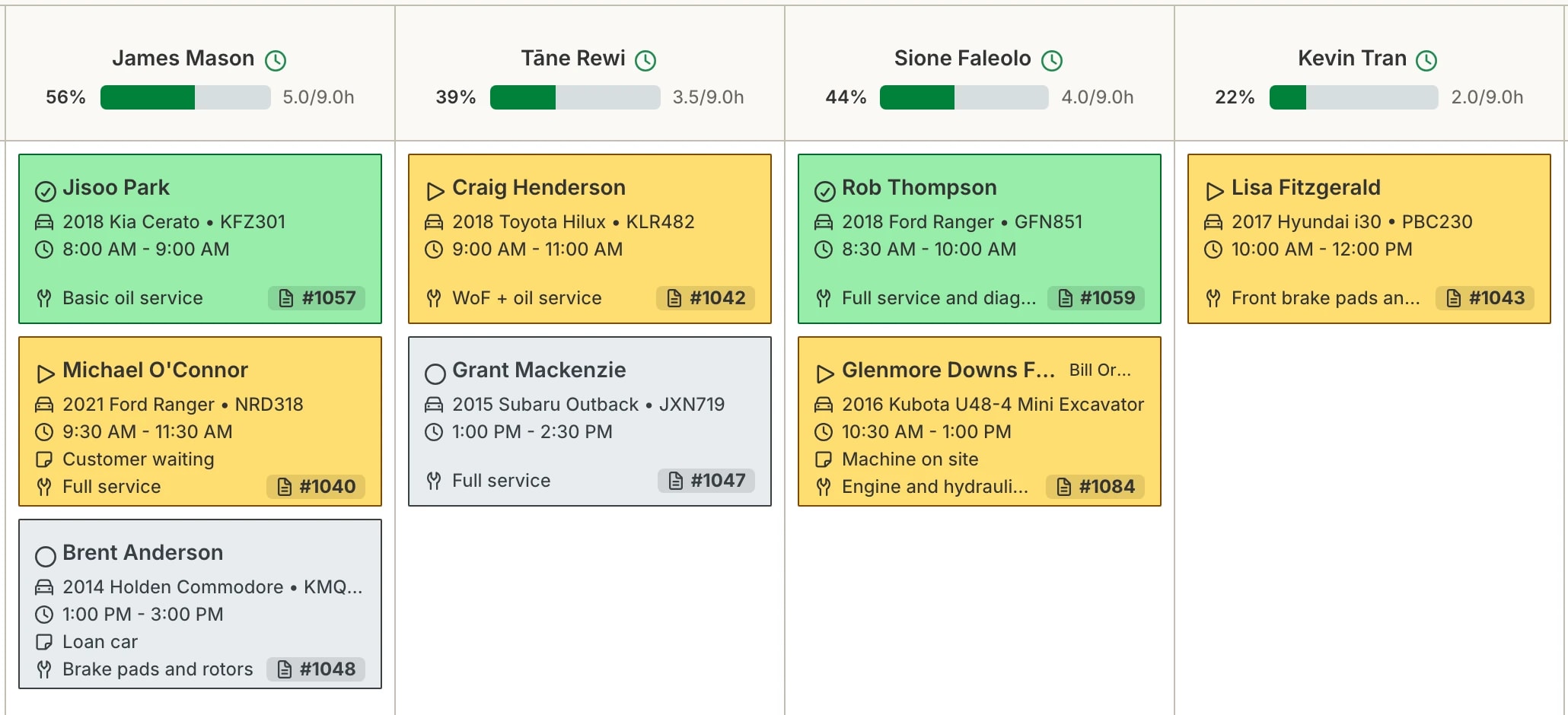
One calendar, every tech. A column per bay or tech, by day or week, plus Unassigned for jobs not yet allocated.
Drag to reschedule. Drag a booking to a new time or tech. The job card updates with it.
Capacity by month. How full each day is, a month at a time.
Online bookings. Customers book from your own website, into the slots you allow. Confirm each one yourself, or let Hoist confirm them.
Booking reminders. A text the day before. Auto-send on or off, and you can always send one yourself.
Job cards and estimates
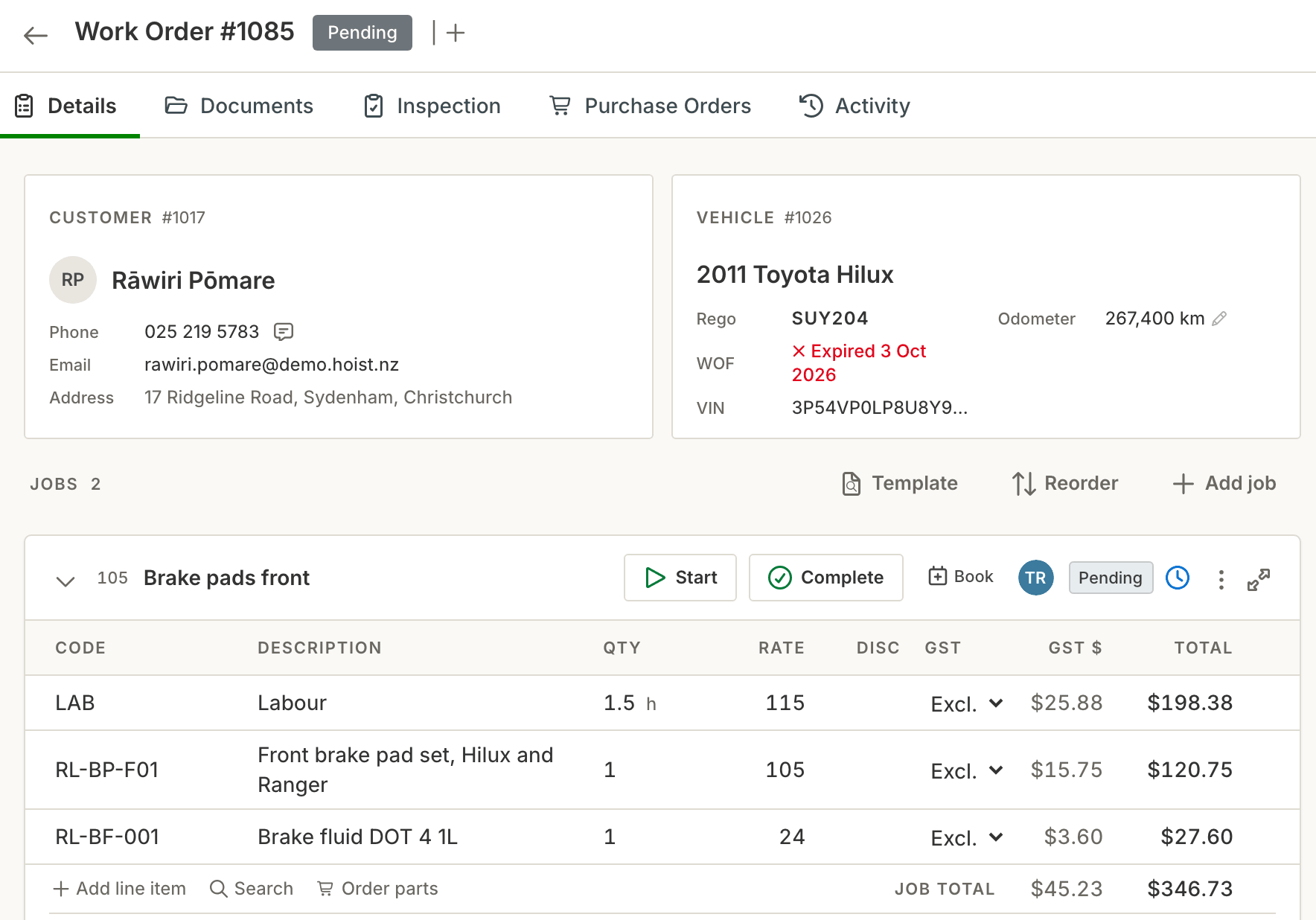
Enter the job once. Everything after that is already on the card.
Estimates customers approve online. Sent by email. They approve from a link, no login, and it becomes the job.
Work authorisation, job by job. Find more on the hoist, send that job for approval, carry on when they say yes.
Deferred work, saved for next time. Work the customer puts off stays on the vehicle and comes up next visit.
Status moves itself. A tech clocks on, the job is in progress. Every job done, the work order is ready.
Inspections, templates, margin. Photo inspections on your own templates, job templates for everyday work, live margin on every line.
Customers and vehicles
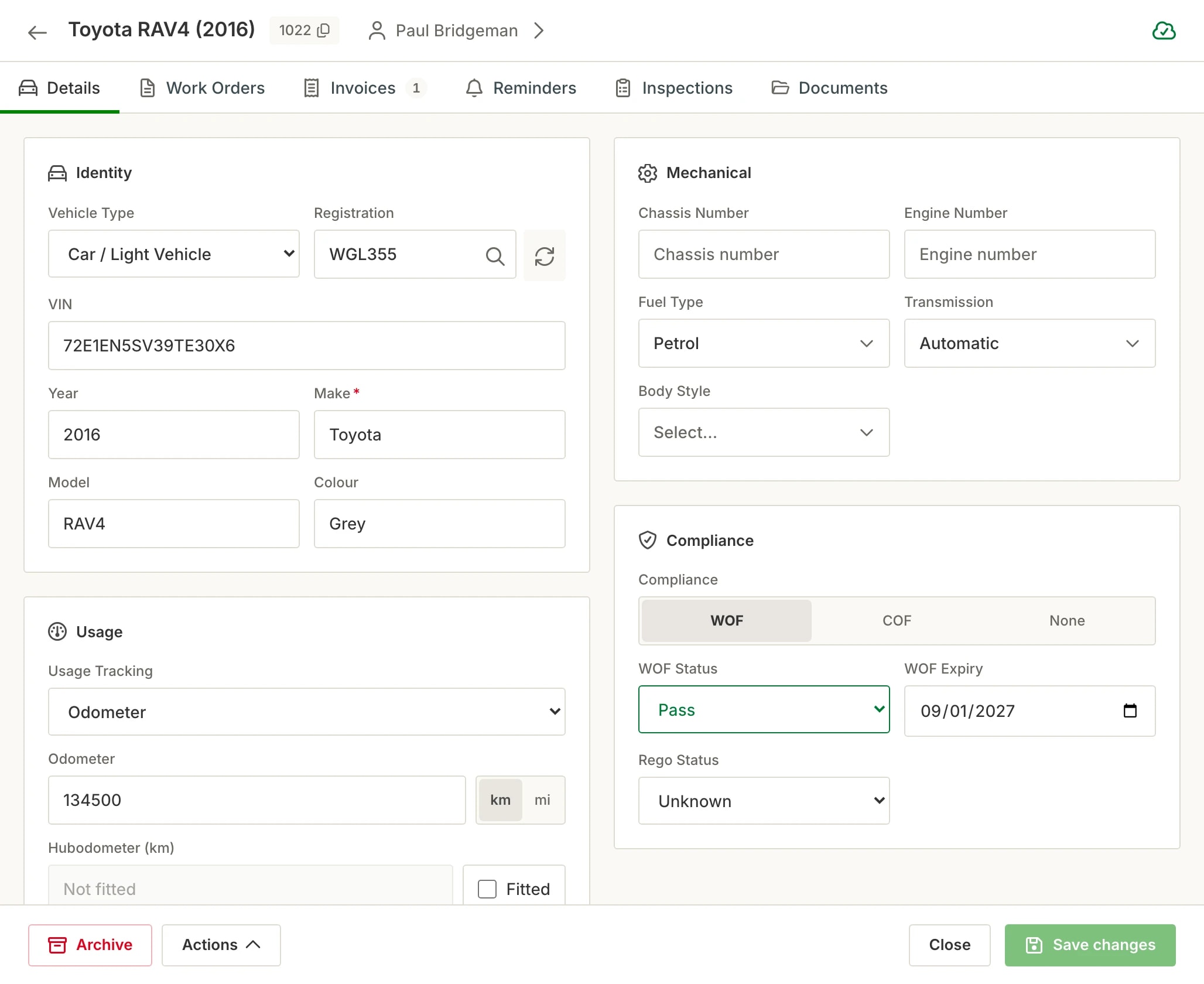
Type a rego and the vehicle is on file, with every visit after it.
Type a rego, get the vehicle. Make, model, VIN and the WoF date from official records, and the CoF date is entered when it is renewed. No plate? Enter the VIN or chassis number.
Cars, trucks, bikes, boats and machinery. Anything with a plate, and plenty without. Kilometres, miles or engine hours, whichever it uses.
The whole history on one file. Spent, owing and every visit, with the WoF and CoF dates on each vehicle.
Invoicing and payments
Invoice straight off the job card, then take the money now or later.
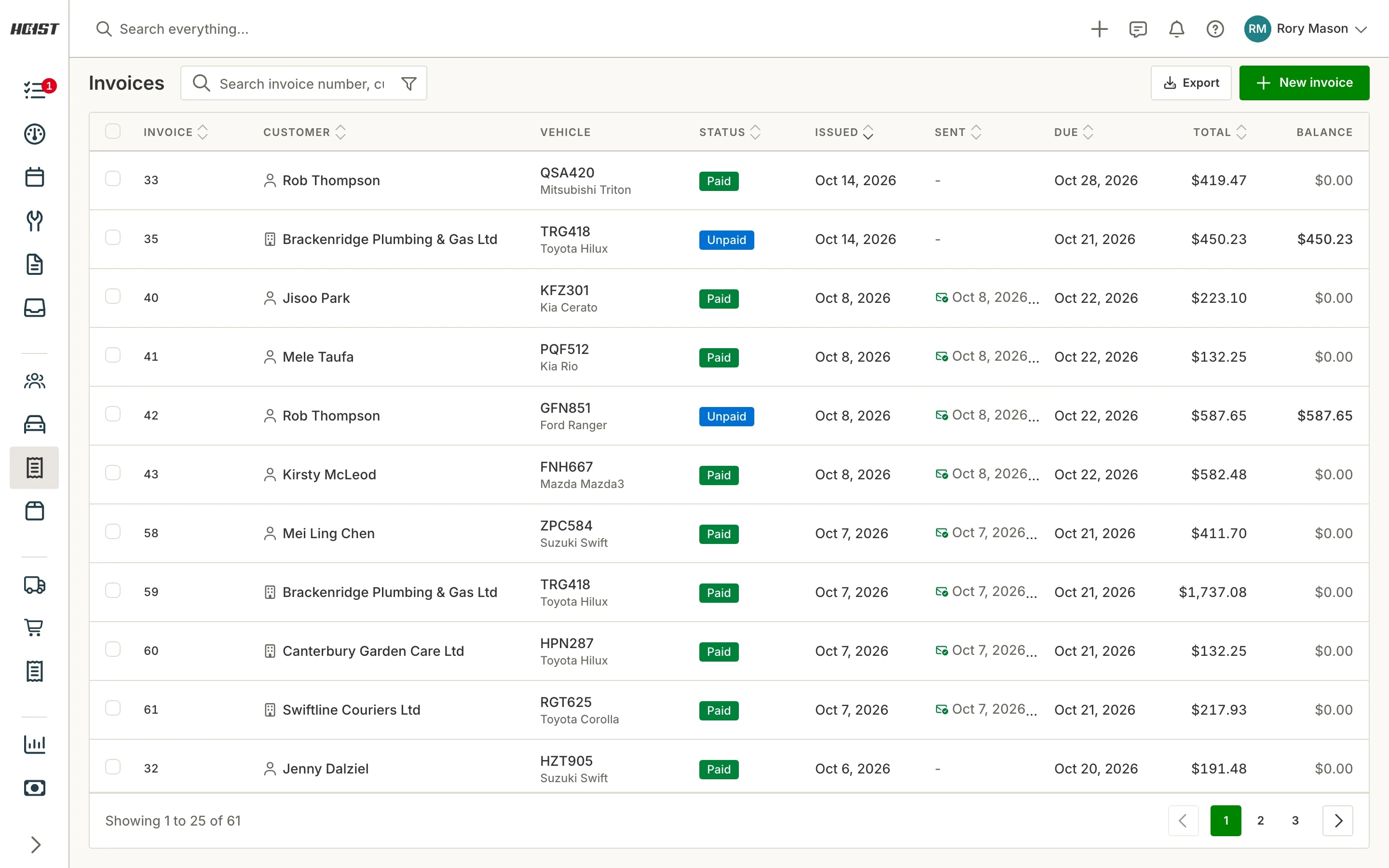
Invoice from the job card. Parts and labour carry across on their own. One click makes the GST invoice, nothing retyped.
Paid at the counter, or later. EFTPOS on the spot, or a pay link by text or email.
Account customers. Payment terms, statements, deposits, part payments, and several invoices paid at once.
Split invoices. Charge part of a job to an insurer or another payer, and each payer gets their own invoice.
Insurance excess. Enter the excess once and it comes off the insurer’s invoice and onto the customer’s.
Four price levels. Retail, trade, wholesale and fleet, from one catalogue.
Reminders and messaging
Customers come back without anyone ringing around.
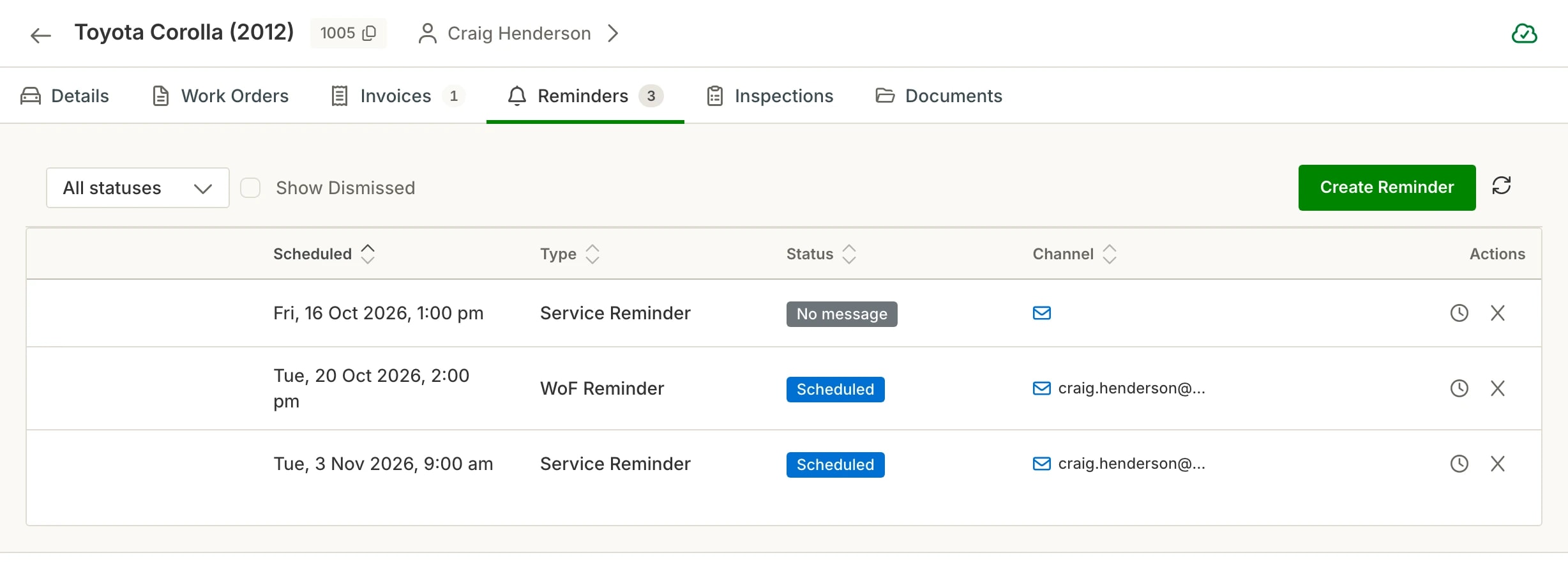
WoF and CoF reminders. Hoist watches the date on every vehicle and sends the text or email itself.
Service reminders. Set the date and it goes out. Works for anything you service.
Two-way texting. Texts and emails from the job or the customer file, with templates for the ones you send every day. Replies land in a thread against the customer.
Connected mailbox. Workshop email lands beside the job it is about. One mailbox is included and you can add more.
Parts and stock
Counts that stay right without anyone touching a spreadsheet.
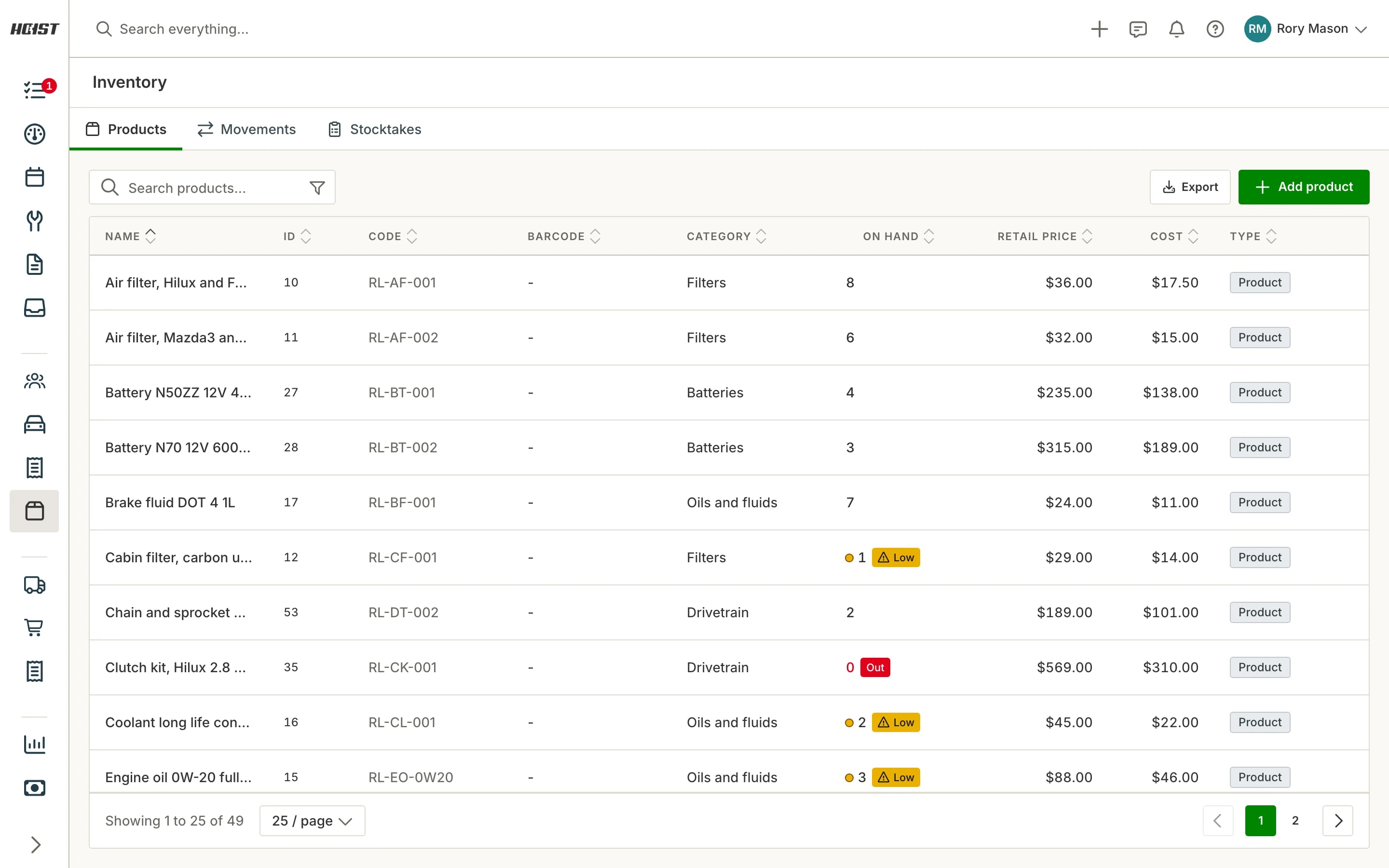
Stock counts keep themselves. Put a part on a job and it’s held for that job. Start the job and it comes off the shelf count. Take it back off and the count goes back up.
Never caught short. Low and out-of-stock flags, and purchase orders drafted from what’s low.
Suppliers and stocktake. Several suppliers per product with a preferred one, supplier bills, and a stocktake with a printable count sheet.
Markup rules. Set your markup once and every part on a job prices itself.
Accounting and reports
Xero and the reports, kept current as the work happens.
Xero, both ways. Invoices and payments sync to Xero and back, and approved timesheets go to Xero Payroll. You don’t need Xero to use Hoist.
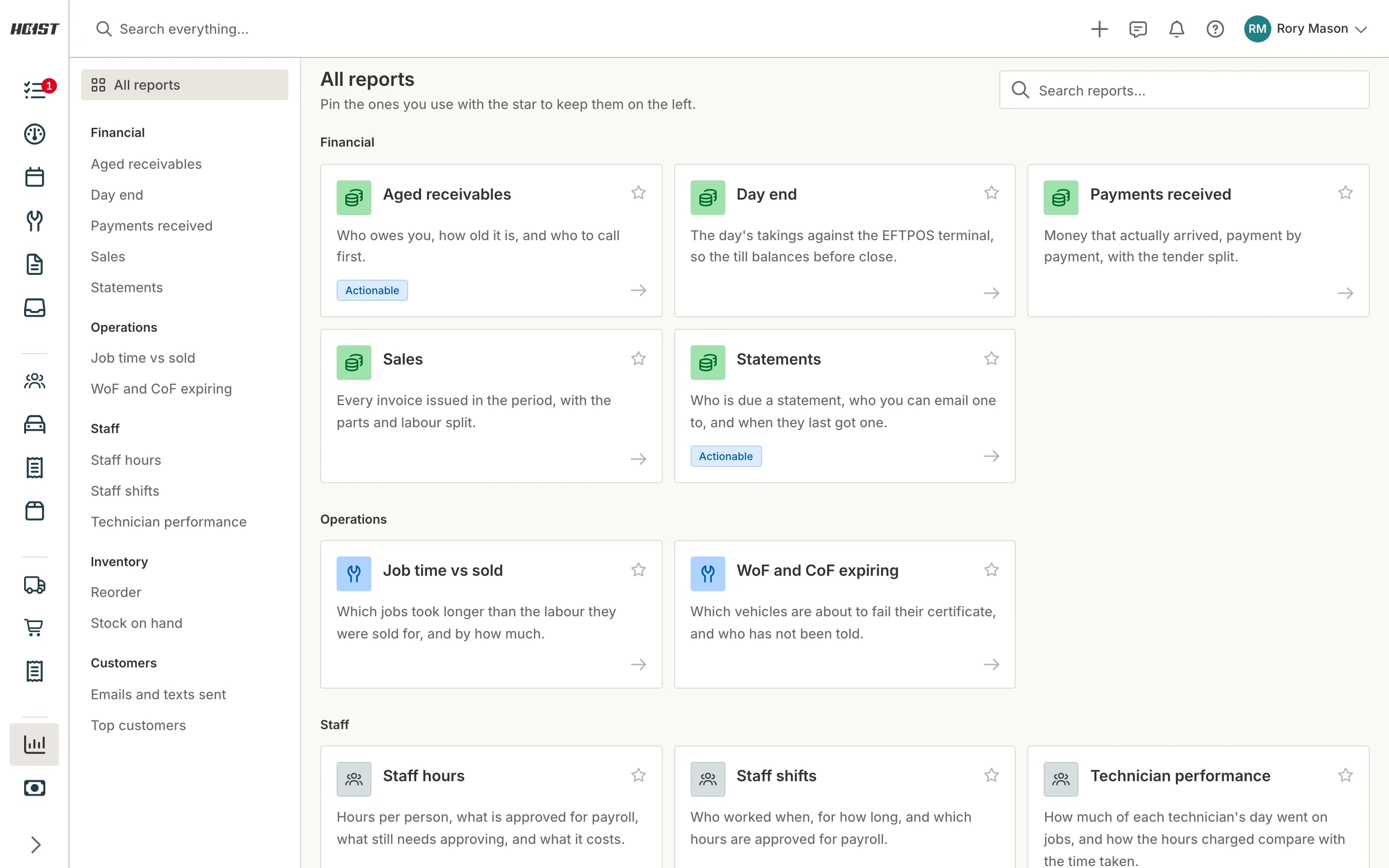
Reports. Sales, payments, receivables, stock and team hours, over any date range you pick.
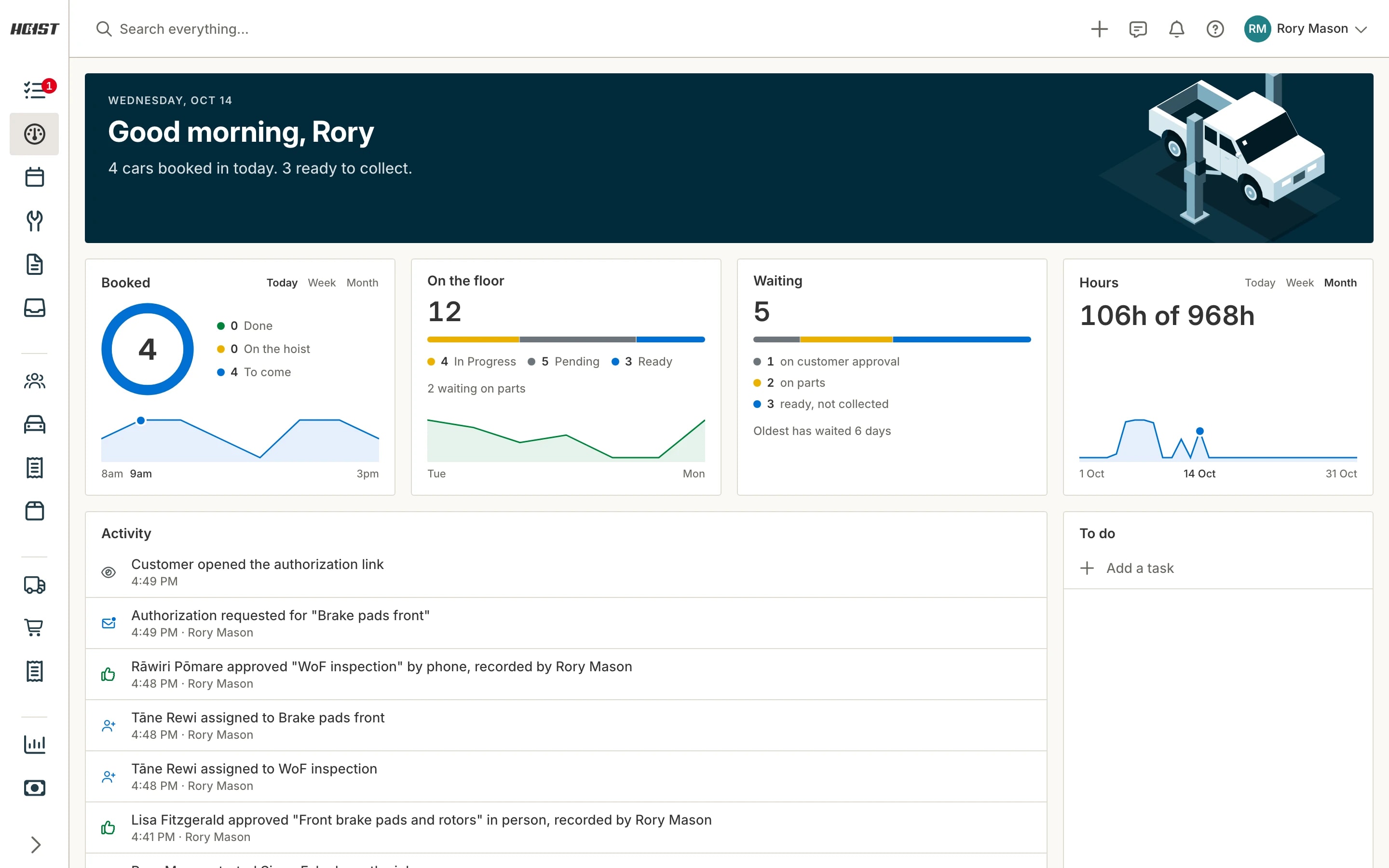
Day dashboard. The day at a glance: what is booked, hours, what is on the floor, what is waiting, and your to do list.
Also in the box
- Hoist mobile app for iOS and Android
- HoistPay: collect payments online and have them reconcile automatically
- One clock: tap a job or an activity and your day is one timeline
- Timesheets with manager approval, exported to payroll
- Roles and permissions per staff member
- Google sign-in
- Microsoft sign-in
- Your data stored in New Zealand
- Pay for Hoist by card, or bill it through Blackfern
What workshops ask before they switch
What should workshop management software actually do for a NZ workshop?
Can my technicians update jobs from the workshop floor?
Does Hoist send WOF and service reminders automatically?
Can I send a quote and get the customer to approve it before work starts?
Can I tell whether a job actually made money?
Does Hoist handle parts, stock and supplier ordering?
Can I run digital vehicle inspections instead of paper checklists?
Is Hoist suitable for a one-person workshop, or only larger shops?
Can I control what each of my staff can see?
How do I move off paper job cards or spreadsheets?
Try it on your own jobs
Every part of Hoist is free for 14 days, or we can show you around first.
Or call us on 04 242 0451