Digital vehicle inspection software for NZ workshops
Hoist’s digital vehicle inspections replace the paper checklist. Build your own templates, mark every check Pass, Attention, Fail or N/A with a photo and a note, and email the customer a PDF report when you are done. Fill them in on a computer or in the Hoist Workshop app, and they save as you go.
Where paper checklists let you down
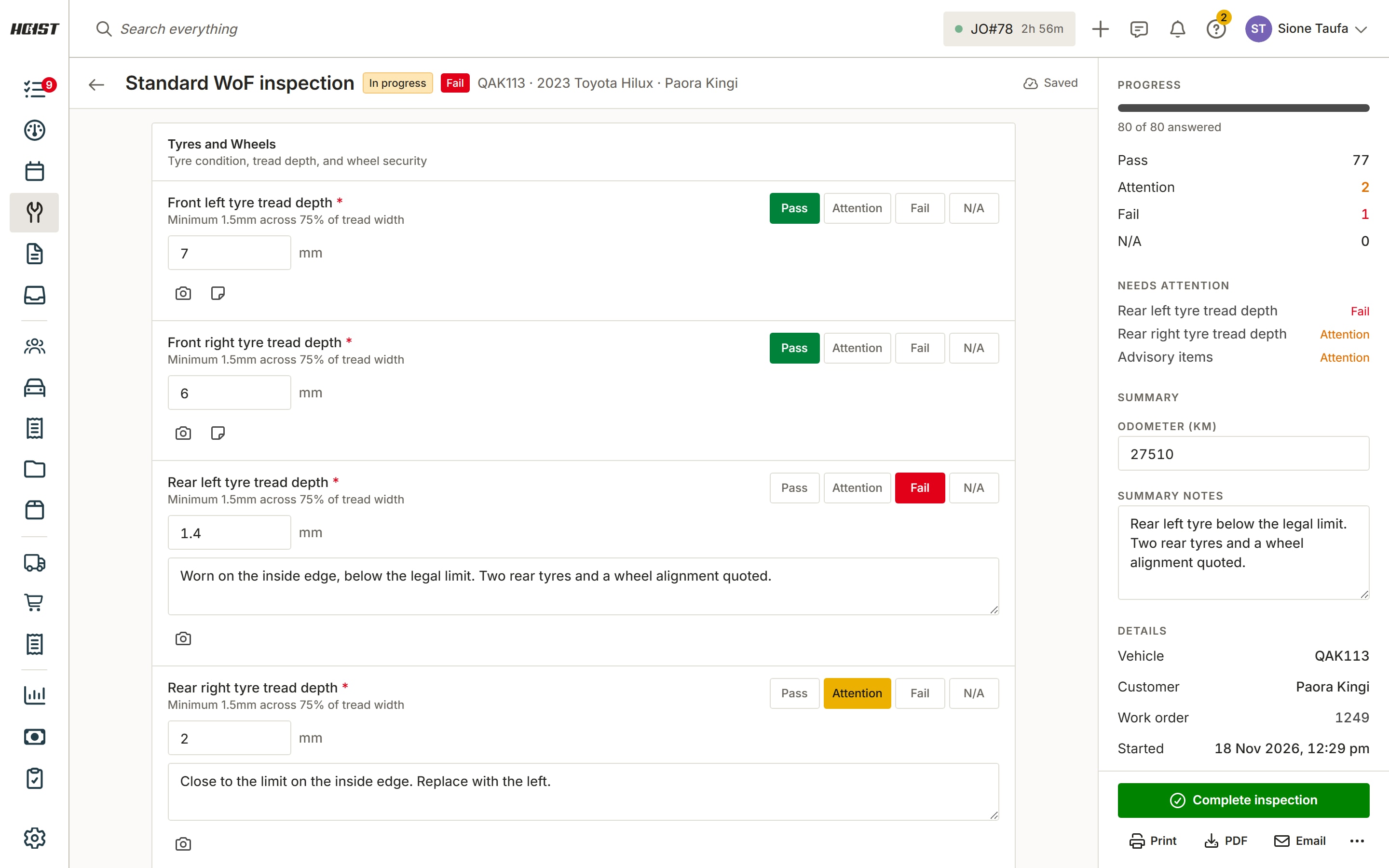
The customer can’t see what you saw
A tick on a sheet doesn’t show the worn tyre. A photo on the check does, and the work gets approved.
Findings never reach the job
The checklist goes in a tray and the brake pads it flagged never get quoted. If the finding isn’t on the job, it isn’t revenue.
Every tech checks differently
Without a set checklist, one technician checks the wipers and another doesn’t. Your own template makes every inspection the same.
How inspections work in Hoist
Build your own template. Sections, checks and readings in the order you work. Mark checks as required, or start from a starter template such as a quick safety check.
Pass, Attention, Fail or N/A. One tap per check, with a reading where it matters, like tread depth in mm. Add a photo and a note to anything that needs one.
Saved as you go. Every answer saves as it is entered, on the computer or in the app. The side panel counts what passed, what needs attention and what failed.
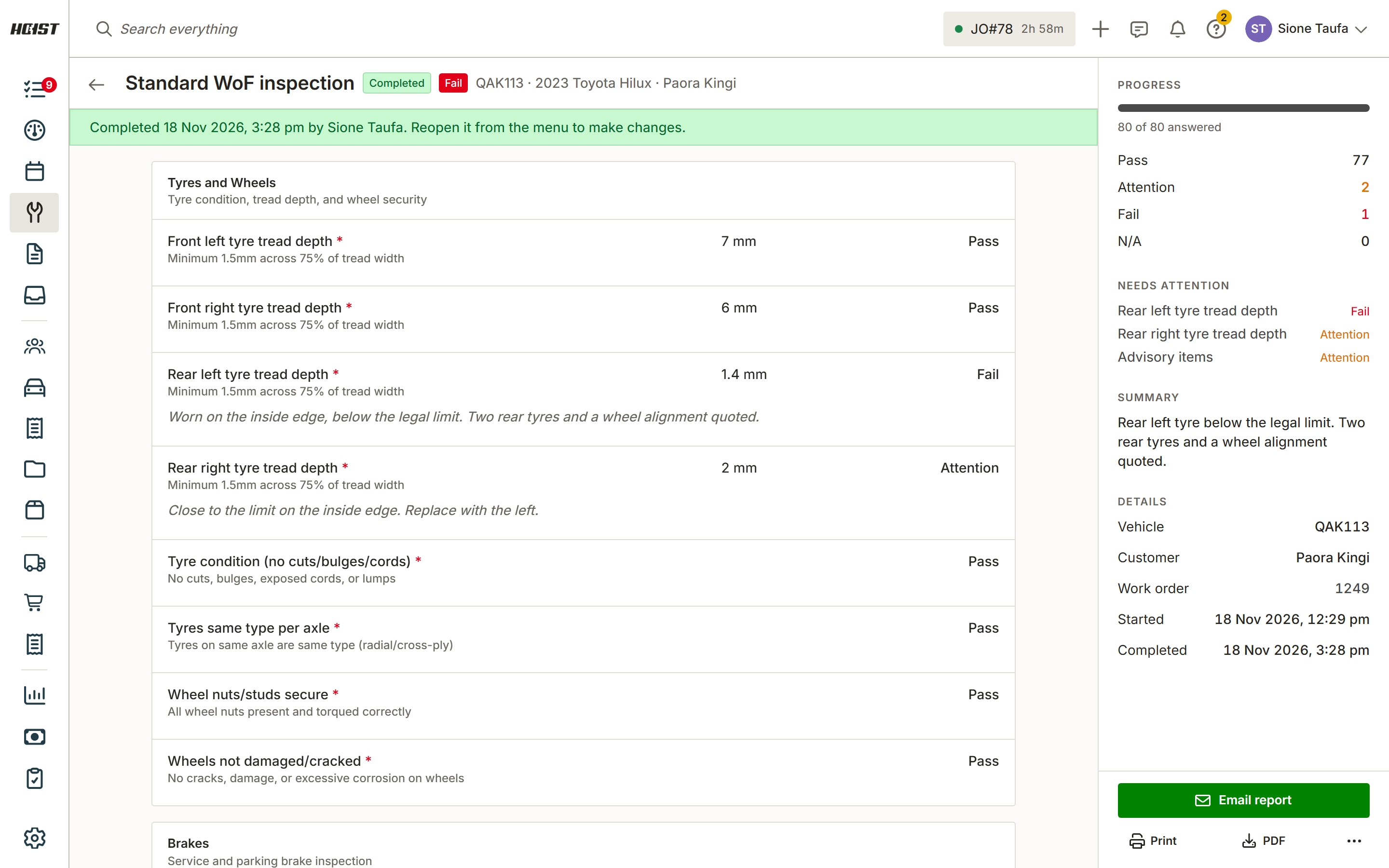
Send the report. Complete the inspection, then email the customer the PDF report or print it. Reopen it if something changes.
What you get
- Inspection templates you build yourself
- Pass, Attention, Fail or N/A on every check
- Readings such as tread depth and odometer
- Photos and notes on each check
- Saves as you go, on the web and in the app
- PDF report emailed to the customer
- Starter templates to edit
- Every inspection kept on its work order
Coming soon
Digital checksheets. Your workshop’s own checks, ticked off on a phone or tablet and saved to the job.
Common questions
What is digital vehicle inspection software?
Can I use my own checklist?
How does the customer see the inspection?
Can technicians do inspections on a phone?
Does Hoist issue WoFs?
Try it on your own jobs
Every part of Hoist is free for 14 days, or we can show you around first.
Or call us on 04 242 0451