If your workshop runs on desktop SAM, you’ve likely noticed the direction of travel. Auxo, the MTA-owned company behind SAM, now sells browser-based products alongside it: webSAM, and its newer cloud platform Auxo Workshop, which Auxo’s CEO has said existing SAM customers can begin migrating to. Auxo hasn’t announced an end-of-life date for desktop SAM, but the whole market, your own vendor included, is heading to the cloud.
Which means at some point you’ll be choosing a new system, on your timeline or someone else’s. And here’s the point: whenever that happens, you’re changing systems either way. New screens, new workflows, retraining the front desk, migrating your customer and vehicle history. The only question is whether you use that moment to pick the best system for your workshop, or default to the one on the letterhead.
This page lays out what to check before you decide, and how Hoist compares, factually, so you can make the call yourself.
A quick history, for context
SAM, built by the TSI Group, has been New Zealand’s incumbent workshop software for decades. The MTA (Motor Trade Association) bought the SAM and Systime businesses in December 2020 and rebranded them as Auxo Software in 2021. Auxo’s current line-up spans desktop SAM, webSAM (a browser-based version), and Auxo Workshop (its newer cloud product).
What to look for when you’re leaving a desktop system
Whatever you move to, hold it to these five tests:
1. Built for the browser, not desktop-in-a-browser. There’s a difference between software built for the web and a desktop lineage moved into a browser. Cloud-native systems work the same from the workshop PC, your laptop at home, and your phone at a parts supplier, with nothing to install or patch.
2. A real data migration path. Your customer list, vehicle records, and job history are the most valuable thing in your current system. Ask any vendor exactly what comes across, in what format, and who does the work. "You can export a CSV" is not a migration plan.
3. Native Xero sync. Most NZ workshops run their books on Xero. Invoices, payments, and contacts should flow through automatically, not via manual exports or a third-party connector that breaks quietly.
4. NZ-specific features. Rego lookup from official NZ vehicle records, WOF reminder handling, and invoicing that has GST right from the first job rather than as something you configure. Software built for another market makes you fight it on all three.
5. Transparent pricing. If you have to request a quote to find out what you’ll pay, you can’t compare options, and you can’t predict what happens to your bill as you add staff. Per-user pricing in particular deserves a close look: a modest base price plus a per-seat charge grows every time your team does.
Hoist vs Auxo’s options
Figures below are from each vendor’s public pages, re-checked 2 September 2026. Check their sites for current numbers.
| Hoist | webSAM | Auxo Workshop | |
|---|---|---|---|
| Product lineage | Cloud-native, built for the browser from day one | Browser-based version of SAM | Auxo’s newer cloud platform |
| Pricing (vendor’s site) | $140 + GST a month; 3 users included, $10 a month per extra user. See current pricing | $99 NZD/mo for 1 user + $19/mo per additional user | Essentials from $99 + GST/mo (2 users) + $19/user, with online bookings, stock, parts ordering and the tech app all off on that tier |
| Legacy desktop SAM | N/A | Legacy SAM pricing is quote-only | Same: quote-only |
| Ownership | Independent, NZ-built | Auxo Software (MTA-owned) | Auxo Software (MTA-owned) |
| Xero integration | Two-way sync: customers, invoices, payments and credit notes | Yes | Yes |
| Rego lookup | Built in, from official NZ vehicle records including WOF expiry. 5c cached, 24c live, published | Charged per lookup; rate not published | 20c a lookup, though they do not publish the rate |
| WOF & service reminders | Yes, by text and email, plus custom reminders you set yourself | Yes | Yes |
| Phone / tablet access | Hoist Workshop app for iOS and Android, plus any phone or tablet browser | Technician-focused web app | Mobile companion app for technicians, out now |
| Support | Live chat, phone and email, from our own team in Upper Hutt | Chat, per their feature list. Auckland HQ, staff in NZ & AU | Chat, per their feature list. Auckland HQ, staff in NZ & AU |
| Trial | 14-day free trial, no card | 7 days, per their site | Free trial, on their own site |
Two notes on that table. First, where Auxo is ahead of us, it says so: they have parts ordering through Repco Nav Pro, BNT EzyParts and NAPA, which we do not. Every row comes from their own published material rather than a guess, and where they genuinely do not publish something, the cell says that instead of inventing it. Second, staying inside the SAM family has a real advantage: familiarity. If your team knows SAM’s workflow cold and you want the smallest possible change, that’s a legitimate reason to choose webSAM or Auxo Workshop. Just price the per-user model over a few years, and remember that any of these options is still a new system to learn.
The per-user maths at 5 users: webSAM $99 + 4 × $19 = $175 a month; Auxo Workshop Essentials $99 + 3 × $19 = $156; Hoist $140 + 2 × $10 = $160. The difference is the per-seat charge, and it grows every time you hire.
What Hoist gives you day to day
- Digital job cards: jobs move from booking to invoice without paper, and every tech can see the current state of a job from any device.
- Scheduling: a booking calendar with a technician view, not a generic diary, plus online bookings you can auto-confirm or approve one by one.
- Invoicing that is already set up for GST: it is the default here, not a setting you go and find.
- Two-way Xero sync: customers, invoices, payments and credit notes flow to your accounts without re-keying. Xero is optional.
- Rego lookup from official NZ vehicle records: type a plate, get the vehicle and its WOF expiry. No manual data entry for new vehicles.
- Text and email reminders: WOF, CoF and service reminders go out automatically, which is where repeat work comes from.
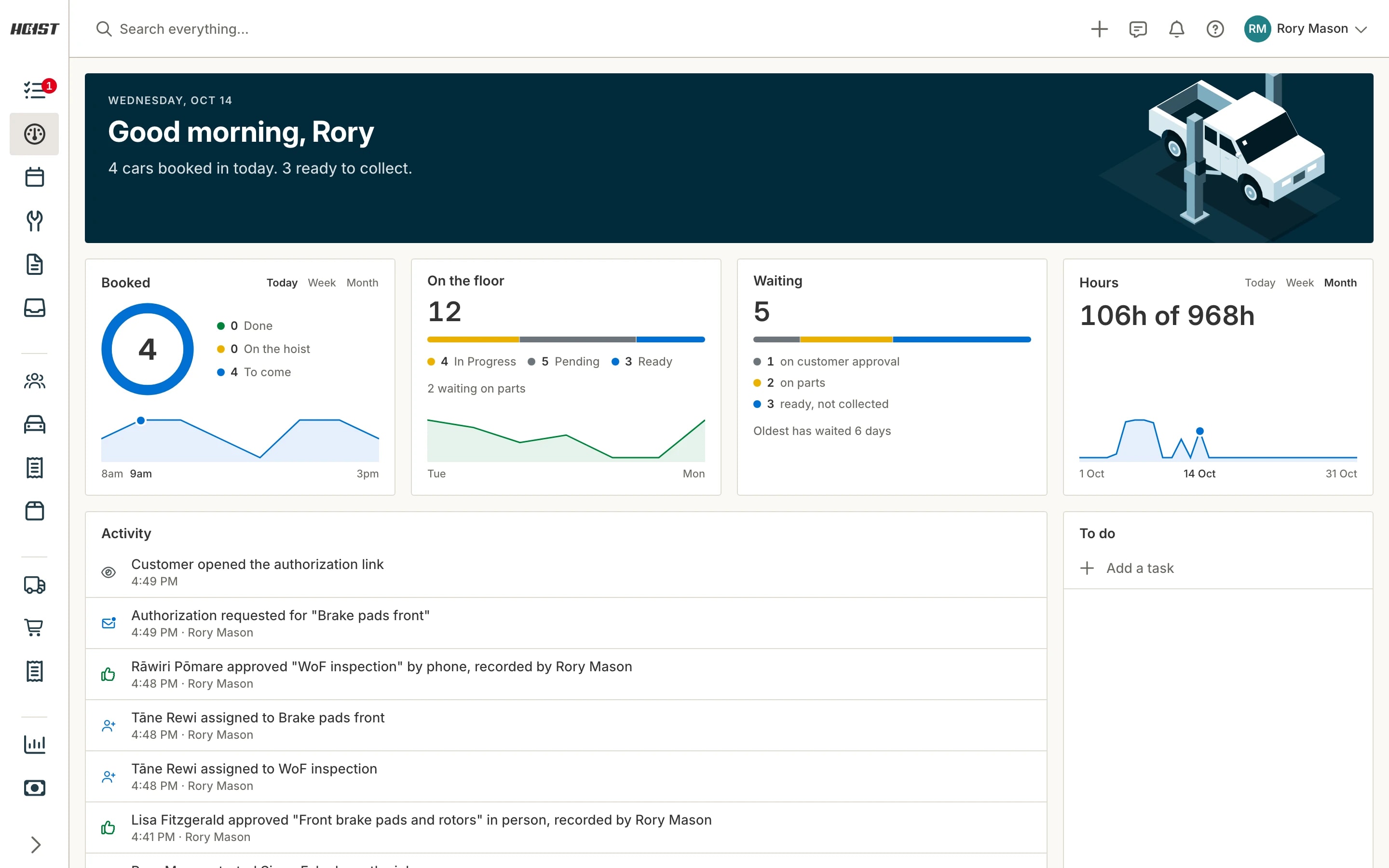
- Works on your phone: Use the Hoist Workshop app for iOS and Android, or the browser on any phone or tablet, to check jobs, customers, and vehicles from wherever you are. It needs a connection.
- NZ-based support: the team is in Upper Hutt. When you ring, you get someone who knows both the product and what a Friday afternoon in an NZ workshop looks like.
Migrating from SAM: what actually moves
This is the question that decides most switches.
What comes across: your customer and vehicle records, the core of your database. Job and service history depends on what your SAM export contains: send it to us and we’ll tell you exactly what maps across before you commit. Rego lookup fills in vehicle details (and WOF expiry) going forward, so imported records get richer over time rather than staying frozen.
Who does the work: the Hoist team. You’re not handed an import template and wished good luck. We do the mapping and importing, and we’ll be upfront during onboarding about what your specific SAM export contains and how each part maps across.
How long it takes: most of the elapsed time is in getting a clean export from your current system and checking the imported data together. The sensible pattern is to run your free trial with your real data in it, so you’re evaluating Hoist with your actual customers and vehicles, not demo records.
Frequently asked questions
Can I import my SAM data into Hoist? Yes. Customer and vehicle records are brought across by the Hoist team rather than left to you. Job and service history depends on what your SAM export contains; we’ll tell you what maps across before you commit. Get in touch early so there’s plenty of time to take a clean export from your system.
What happens to my WOF and service reminders? If your export includes WOF expiry and next-service dates they come across with the vehicle records, and rego lookup backfills WOF expiry for any that are missing. Hoist’s text and email reminders take over from there, so customers keep getting their WOF and service nudges without a gap. Do the switch in a quiet week and spot-check a handful of vehicles you know well.
Am I locked into a contract? Hoist starts with a 14-day free trial, no card. Pricing is $140 + GST a month; 3 users included, $10 a month per extra user. See hoist.nz/pricing for current terms. For SAM, webSAM or Auxo Workshop contract terms, check your agreement with Auxo, especially any notice periods, so you can time a switch cleanly.
Should I just move to webSAM or Auxo Workshop instead? Maybe, and this page isn’t arguing otherwise. They’re the continuation of NZ’s most established workshop software, backed by the MTA. The point is simpler: moving off desktop SAM is a system change whichever way you go, so you owe yourself a real comparison before signing on to per-user pricing for the next decade. Some workshops will compare and still choose Auxo. That’s a fine outcome, it just shouldn’t happen by default.
Compare properly, then decide
You’re going to spend time learning a new system sooner or later. Spend an hour first making sure it’s the right one.
Start a free trial, or look at the pricing and put it next to the Auxo quote on your desk. If you’d like your SAM customers and vehicles loaded into the trial so you’re comparing with real records, talk to the team in Upper Hutt and we’ll set it up.
Also comparing other options? See Hoist vs Mechanic Desk.
Sources: Auxo: About · Auxo, webSAM · Auxo: Workshop pricing · Scoop: MTA buys SAM and SAS automotive IT businesses (Dec 2020) · AutoTalk: SAM and Systime parent rebrands as Auxo Software · AutoTalk: Auxo launches new management software for smaller workshops